
The Datavideo RMC-180 Mark II PTZ camera control unit controls up to four Datavideo PTC-145 cameras. It has a responsive joystick and adds another level of unrestricted creativity and functionality to your video production.
It can also send tally signal to the HS-2600. Make sure to connect the included CB-28 cable from the RMC-180 Mark II to the tally connection on the back of HS-2600. Once it is connected, depending on which camera is set to program on the HS-2600, you will see a red light indicator on the corresponding channel on the RMC-180 Mark II controller.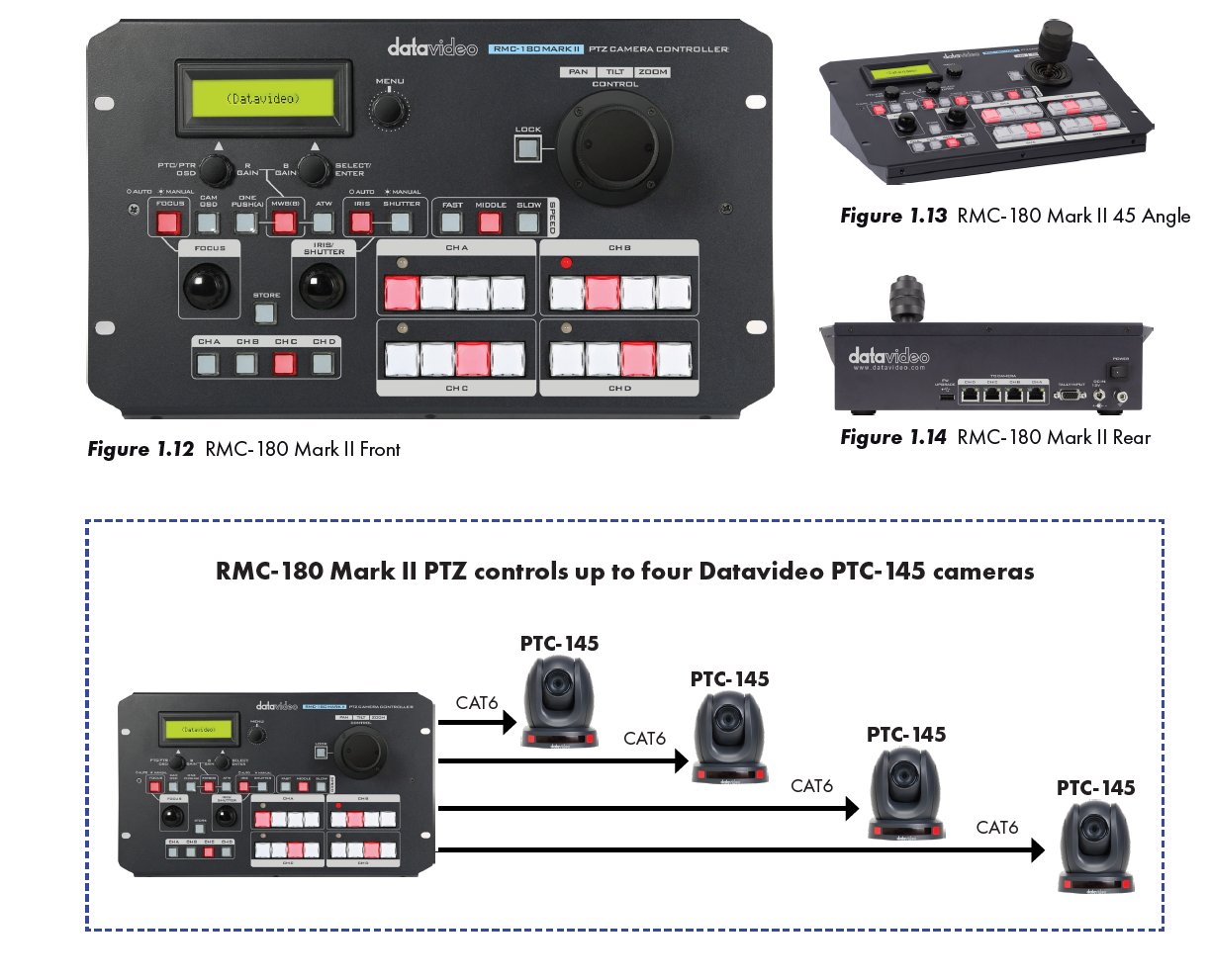
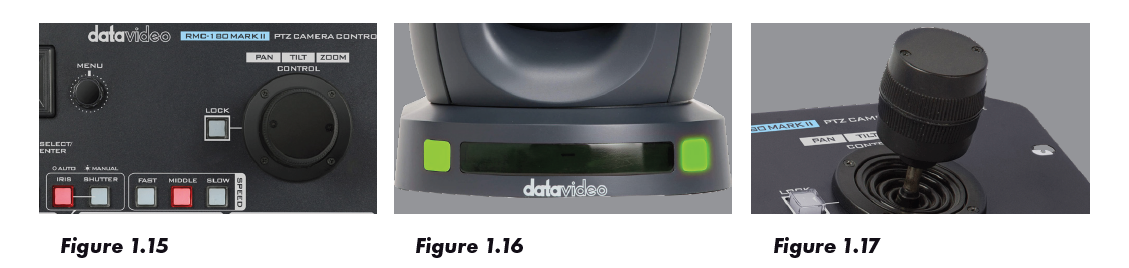
•Control of Pan, Tilt and Zoom as well as Iris, Focus, and Gain (Figure 1.15)
•Tally Lights – See which camera is “Live”. (Figure 1.16)
•Joystick - The joystick is pressure sensitive. You can quickly move or rotate the joystick for faster movement. (Figure 1.17)
In addition to camera movements, the RMC-180 Mark II can also change the camera output resolution through the menu of the controller, as well as set the white balance of each camera.
Using the Datavideo RMC-180 Mark II PTZ camera control unit is very easy. It will provide you with the ability to create “presets” during your production. A preset allows you to program and recall the camera position. You can use this feature to have the camera automatically move from a wide shot to a close up. Using the ability of the PTZ camera to rotate, zoom and focus in any direction, the RMC-180 Mark II will let you pre-define your cameras to multiple predetermined positions. The operator can use the camera to setup close up, midrange, and long shots by simply executing the pre-assigned function key. You can now have one or more cameras producing multiple unique angles, enhancing your production. In addition, you can use the RMC-180 to set one button push white balance on all the PTC-145 cameras that are connected. In addition, you can use the RMC-180 to set one button push white balance on all the PTC-145 cameras that are connected.