
Building a set to record your newscast is a creative endeavor. As global collaborators, students will work as a team to build the set. Working together, they can problem-solve and improve their studio space as a group. Ideally, your studio should be a place where your gear can stay constantly connected. Having this space readily available saves you a significant amount of time. You do not want to rewire and reconnect your video gear each time you conduct a class; this takes more time and requires testing.
Often, the location of your video set will be determined by the school administration. Perhaps your gear will be located in the AV department, library, or resource center, and you will not have to reconnect the gear each time you use it.
You will need a place to set up your equipment. It could be any type of table, desk, etc. It does not have to be fancy, but it does have to be solid! You need to place your equipment table near the proper electrical outlets. We recommend that you use an AC power line conditioner to plug in the video gear. A power conditioner is a good device to have as it will keep your voltage stabilized and prevent electrical spikes from damaging your equipment. It is also convenient to have a room with a high enough ceiling so you can extend your lighting kit if necessary.
The actual news set table can be a folding table or even two desks pushed together. You need to decide how many people will be acting as talent and measure your table accordingly. The video camera tends to compress the image, so talent can actually sit closer together and still look good on the monitor.
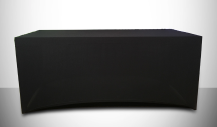
Do not worry about the appearance of the table and its surface. You can get a black or dark-colored piece of cloth and use it to cover the table. You can also paint the table if it is allowed by your school. Many schools have a carpentry shop or a maintenance crew that will be able to build something you can use that is inexpensive and very functional. Some desks on news sets actually have wheels underneath and can be easily moved to where it is needed.
The backdrop is essential for a professional-looking production. Your typical go-to shot for a newscast is a medium head and shoulders shot of the talent. This view does not usually show the news desk. However, it will frequently show the wall behind the talent. This is an excellent space to express your creativity. There is a large variety of artificial backdrops you can use to make your set look interesting and professional. For a good example of a low-cost, easy-to-set-up news set, consider the one created as a demo set for this teacher’s guide and the tutorial videos. It uses two Soji screens, a TV monitor to display a logo, and backlighting used to accent the screens. It was created for under $200, including the two fluorescent lights for the accent lighting.
There are many other ways to create affordable, good-looking sets. Educators have used the brick walls of their classrooms, wallpaper, enlarged photographs, or professional canvas rolls to create any backdrop scene imaginable (Figure 4.4). Many companies sell a backdrop kit that essentially consists of three beams that support a backdrop, allowing you to display any backdrop you could want. These techniques greatly enhance the appearance of your set. If you have a photograph you like to use as the backdrop, make sure that it is blown up large enough to cover the entire length and height behind your news desk. It is also recommended that the photograph be slightly out of focus when you blow it up.
This technique keeps the photo recognizable while keeping the main visual focus on the talent. Remember to keep the talent desk uncluttered. The lavalier microphones are wired and will run underneath the table to where the talent will be sitting. Keeping the wires organized and away from an area helps students avoid hazards and ensures safety on set. Watch for any wires or cables that may be showing in any particular shot as these are avoidable distractions.